OpenSCAD Basics: From a Simple Brick to a Rounded Tray
July 11, 2026 by Leszek
OpenSCAD is a language for describing solid 3D geometry with code. Instead of clicking and dragging, you write statements that create shapes, move them, and combine them. The result is precise, parametric, and easy to modify later.
This article walks through the first three fundamental ideas using three practical examples:
- A solid rectangular brick
- A simple hollow cup
- A rounded tray with soft corners
Under each scad code example you have a link that will open model it in scadman, to see the result immediately. No installation is required.
1. The Coordinate System and Basic Units
OpenSCAD uses a standard right-handed 3D coordinate system:
- X – left / right
- Y – front / back
- Z – up / down
The origin (0, 0, 0) sits at the centre of the virtual space. All dimensions are unitless, but by convention most people treat them as millimetres when the model will be 3D-printed.
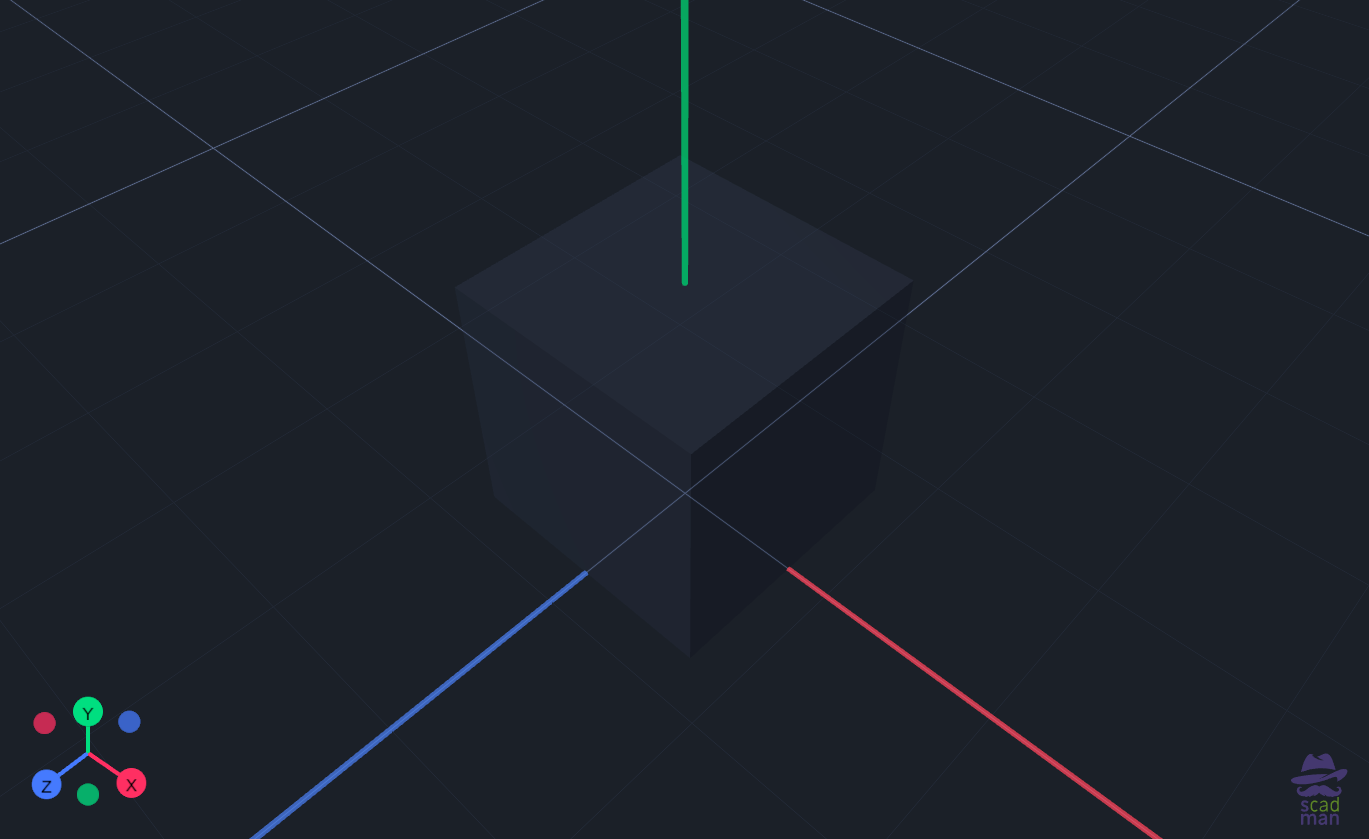
Comments start with // and are ignored by the compiler. They are essential for making code readable.
Variables are written simply:
Once defined, a variable can be used anywhere later in the file. Changing the value at the top updates every place it appears — this is the heart of parametric design.
Furthermore, each variable defined at the beginning of the file automatically creates a simple visual controller in the Customizer (you can find it on the right side in scadman), meaning that in most cases you don't even need to look at the code to change model parameters!
2. Example 1 – A Simple Building Brick
The most basic solid in OpenSCAD is the cube.
brick_length = 32;
brick_width = 16;
brick_height = 9.6;
cube([brick_length, brick_width, brick_height], center = true);
What the code does
cube([x, y, z]) creates a rectangular box. - The
center = true parameter places the centre of the cube at the origin. Without it, the cube would sit with one corner at (0,0,0) and extend only into positive coordinates.
- Using variables instead of hard-coded numbers makes the brick easy to resize later.
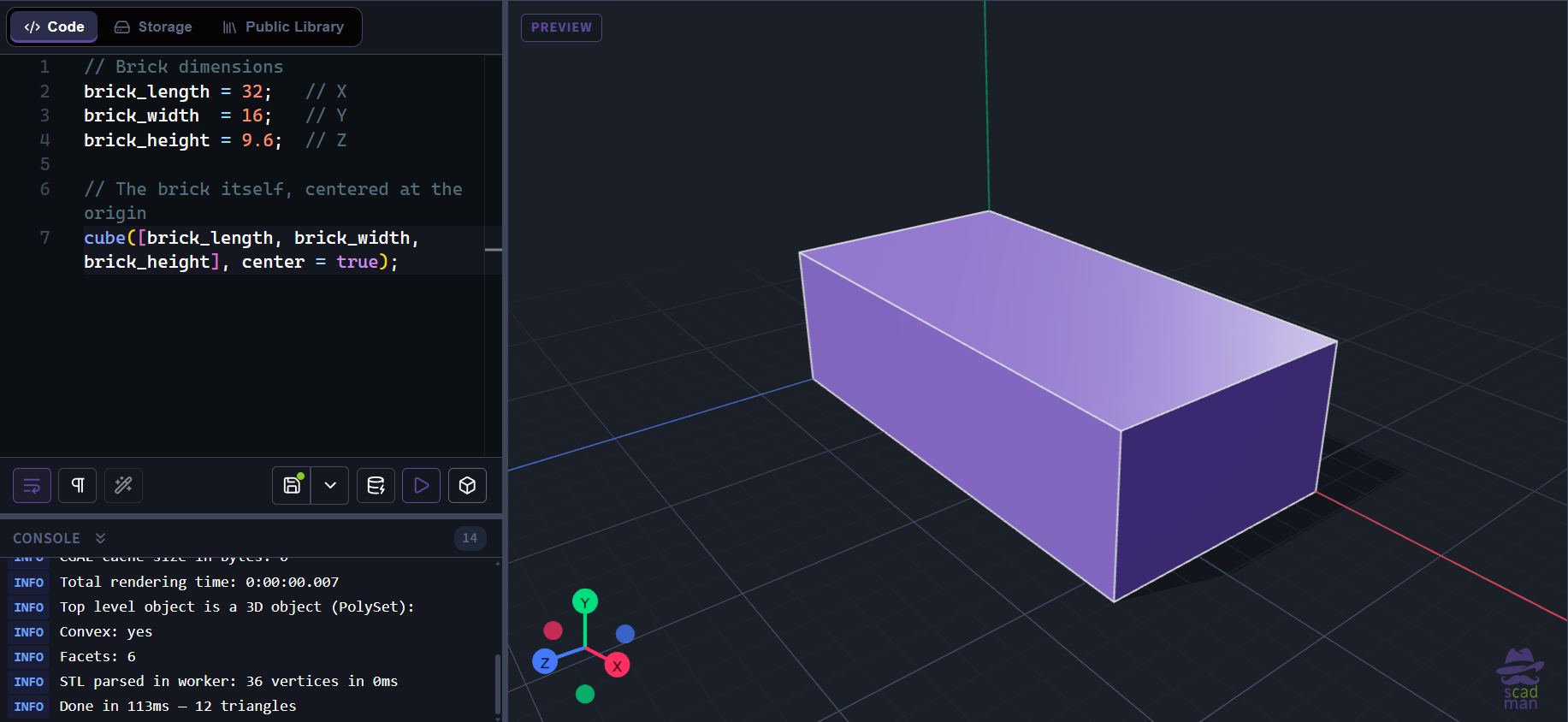
This single statement already produces a printable object. From here you can add studs, holes or fillets, but the foundation is simply a well-positioned cube.
3. Example 2 – A Simple Cup (Boolean Difference)
Most useful objects are not solid blocks. To create a hollow cup we need two concepts:
- The
cylinder() primitive
- The
difference() Boolean operation
outer_radius = 25;
height = 40;
wall = 2.5;
bottom = 3;
$fn = 64;
difference() {
cylinder(h = height, r = outer_radius, center = false);
translate([0, 0, bottom])
cylinder(h = height, r = outer_radius - wall, center = false);
}
Breaking it down
cylinder(h = …, r = …)
Creates a cylinder. h is height, r is radius.
center = false (the default) places the bottom of the cylinder on the XY plane.
$fn = 64
Controls how many segments are used to approximate the circle. Higher values produce smoother curves but generate more triangles.
difference() { … }
Subtracts every shape that follows the first one.
The first cylinder is the outer body; the second (smaller) cylinder is subtracted from it.
translate([0, 0, bottom])
Moves the inner cylinder upward so that a solid bottom of thickness bottom remains.
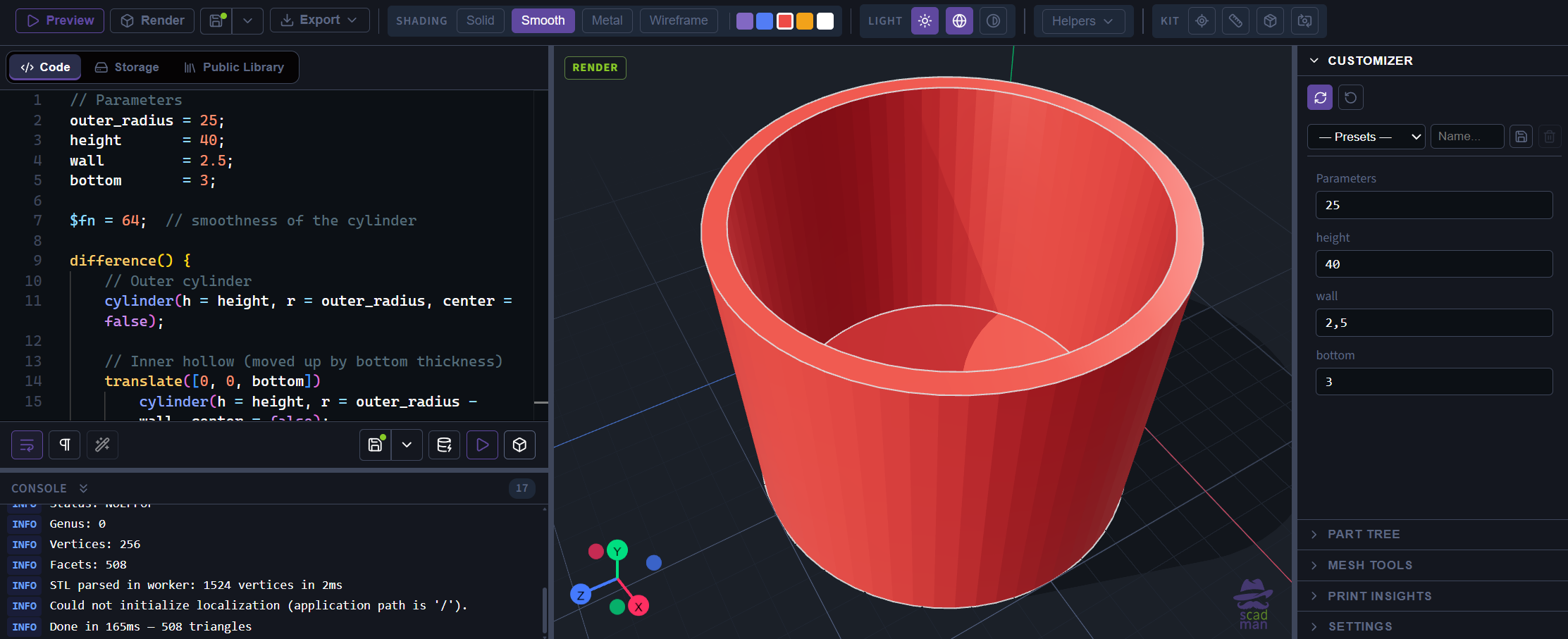
The wall thickness is simply the difference between the two radii (outer_radius - wall). This pattern — outer shape minus an offset inner shape — is one of the most common techniques in OpenSCAD.
4. Example 3 – A Rounded Tray (hull and modules)
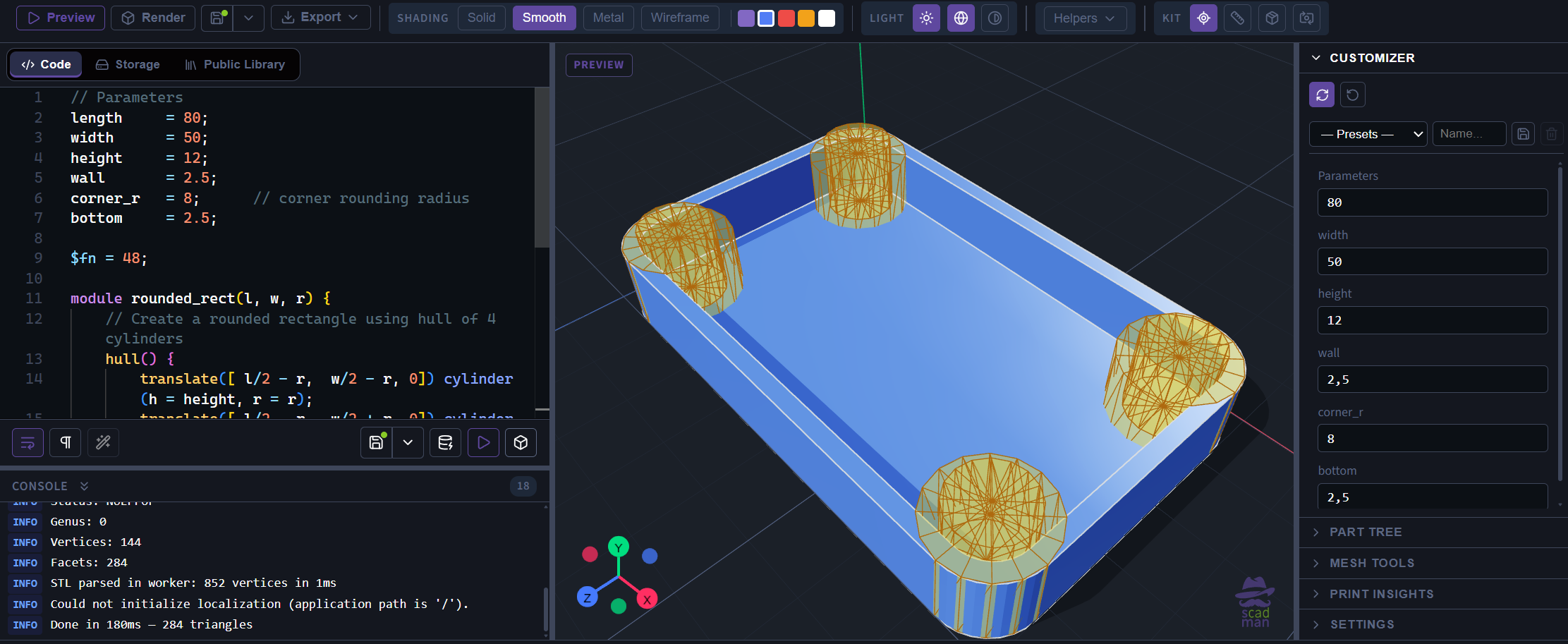
A rectangular box with sharp corners is easy; a tray with softly rounded corners needs a different approach. We build the rounded outline by connecting four cylinders with hull(), then hollow it out.
length = 80;
width = 50;
height = 12;
wall = 2.5;
corner_r = 8;
bottom = 2.5;
$fn = 48;
module rounded_rect(l, w, r) {
hull() {
translate([ l/2 - r, w/2 - r, 0]) cylinder(h = height, r = r);
translate([ l/2 - r, -w/2 + r, 0]) cylinder(h = height, r = r);
translate([-l/2 + r, w/2 - r, 0]) cylinder(h = height, r = r);
translate([-l/2 + r, -w/2 + r, 0]) cylinder(h = height, r = r);
}
}
difference() {
rounded_rect(length, width, corner_r);
translate([0, 0, bottom])
rounded_rect(length - 2*wall, width - 2*wall, corner_r - wall);
}
New ideas introduced
hull()
Takes all the shapes inside it and creates the smallest convex shape that encloses them. Four cylinders placed at the corners become a smoothly rounded rectangle.
module
A reusable block of code. Once you define rounded_rect, you can call it multiple times with different sizes. This keeps the main logic clean and makes later changes easier.
Offsetting for the inner cavity
We call the same module again, but with reduced length, width and corner radius, then lift it by bottom. The difference() operation removes the inner volume, leaving walls of consistent thickness.
Putting the Three Ideas Together
| Concept |
Brick |
Cup |
Tray |
| Primitive |
cube |
cylinder |
cylinder + hull |
| Positioning |
center=true |
translate |
translate inside module |
| Combining shapes |
— |
difference |
difference + hull |
| Reuse |
variables |
variables |
module |
| Smoothness control |
— |
$fn |
$fn |
These three short scripts already cover the majority of everyday OpenSCAD modelling:
- Creating solid primitives
- Moving them with
translate
- Cutting material away with
difference
- Building more complex outlines with
hull
- Organising code with variables and modules
Everything else in OpenSCAD — loops, conditionals, more advanced transformations, libraries — builds on top of these foundations.
Try It Yourself
- Open scadman.xyz.
- Paste any of the three examples above or follow link below example.
- Press P (Preview) to see the model.
- Change a variable (for example
wall or corner_r) and preview again.
Because the entire toolchain runs in the browser, you can experiment instantly and share a finished design simply by copying the URL.
The next steps after these basics are usually rotation, more Boolean operations, 2D shapes with extrusion, and simple loops. Each of them follows the same pattern you have already seen: describe geometry clearly, keep parameters at the top, and let the compiler do the rest.