OpenSCAD Basics, Part 2: Parameters and Repetition
August 20, 2026 by Leszek
In Part 1 we built three simple objects and learned the core building blocks of OpenSCAD: primitives (cube, cylinder), positioning (translate, center), Boolean operations (difference), and the idea of reusable modules with hull().
This second part focuses on two techniques that turn those basic shapes into practical, scalable designs:
- Using variables and simple arithmetic to make a model fully parametric
- Using
for loops to repeat geometry cleanly
We will explore them through two complete examples: a wall shelf and a section of picket fence.
1. Why Parameters Matter
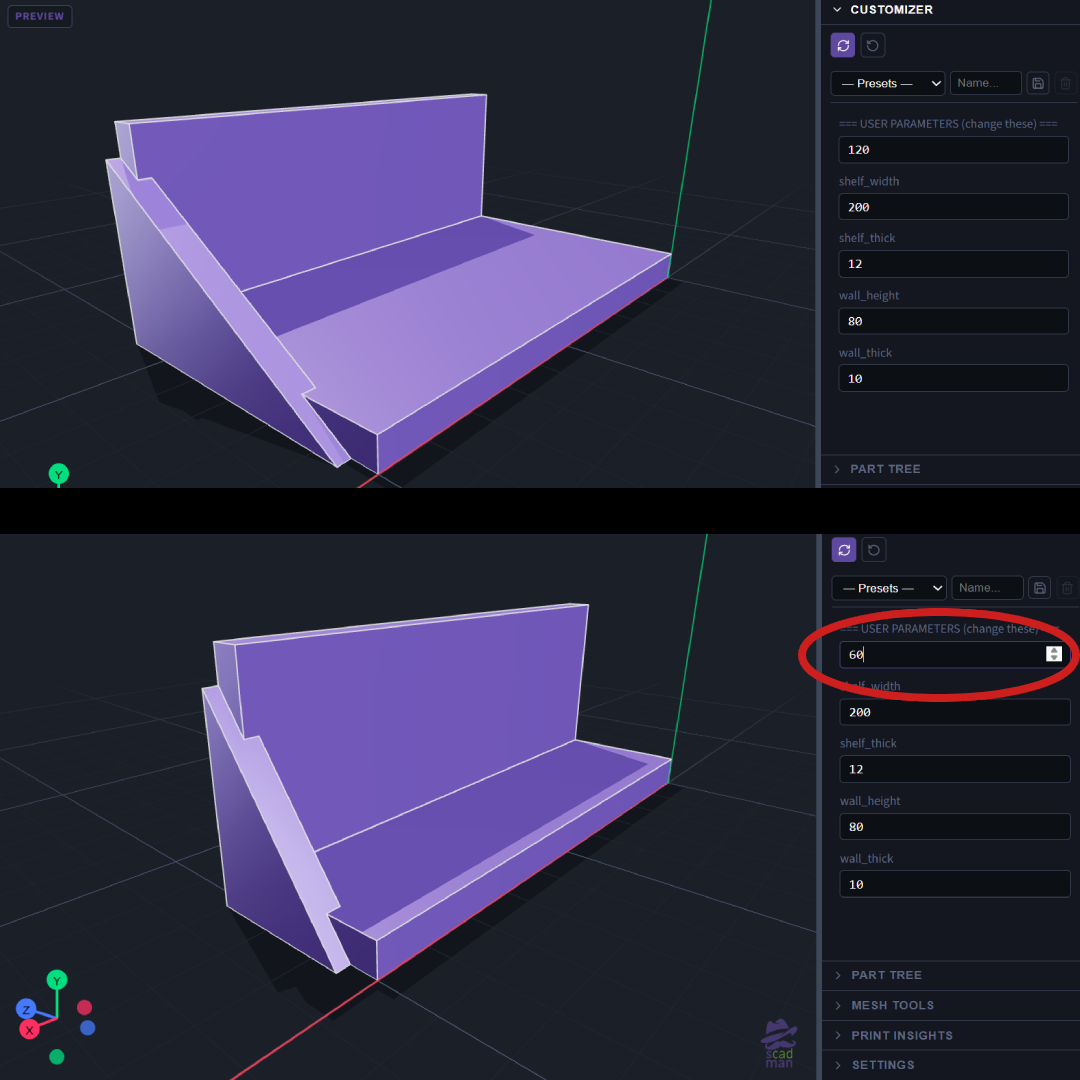
Hard-coding every dimension quickly becomes painful. When you later decide the shelf should be deeper or the fence should have more pickets, you would have to hunt through the code and change multiple numbers.
OpenSCAD encourages a different habit: put all important values at the top of the file as variables, then derive everything else from them. Changing one or two numbers regenerates the entire model correctly.
2. Example – Parametric Wall Shelf
This L-shaped wall shelf (or floating-shelf bracket) is built entirely from variables and a few calculated values.
shelf_depth = 120;
shelf_width = 200;
shelf_thick = 12;
wall_height = 80;
wall_thick = 10;
support_height = wall_height - shelf_thick;
translate([0, shelf_depth/2, shelf_thick/2])
cube([shelf_width, shelf_depth, shelf_thick], center = true);
translate([0, wall_thick/2, wall_height/2])
cube([shelf_width, wall_thick, wall_height], center = true);
translate([shelf_width/2 - 5, 0, 0])
rotate([90, 0, 90])
linear_extrude(height = 10)
polygon(points = [
[0, 0],
[shelf_depth - wall_thick, 0],
[0, support_height]
]);
🔗Open in sCADman
Key ideas
User parameters vs derived values
The first five numbers are the ones you are expected to change. support_height is calculated automatically so the triangular brace always fits the current dimensions.
Multiple parts positioned with translate
Each major piece (shelf board, back plate, support) is created separately and moved into place. This keeps the code readable.
Simple arithmetic inside the model
Expressions such as shelf_depth/2 or wall_height - shelf_thick are evaluated when the model is compiled. You almost never need to calculate these values by hand.
linear_extrude + polygon
The triangular support is defined as a 2D shape and then given thickness. This is a common way to create custom profiles without building them from many cubes.
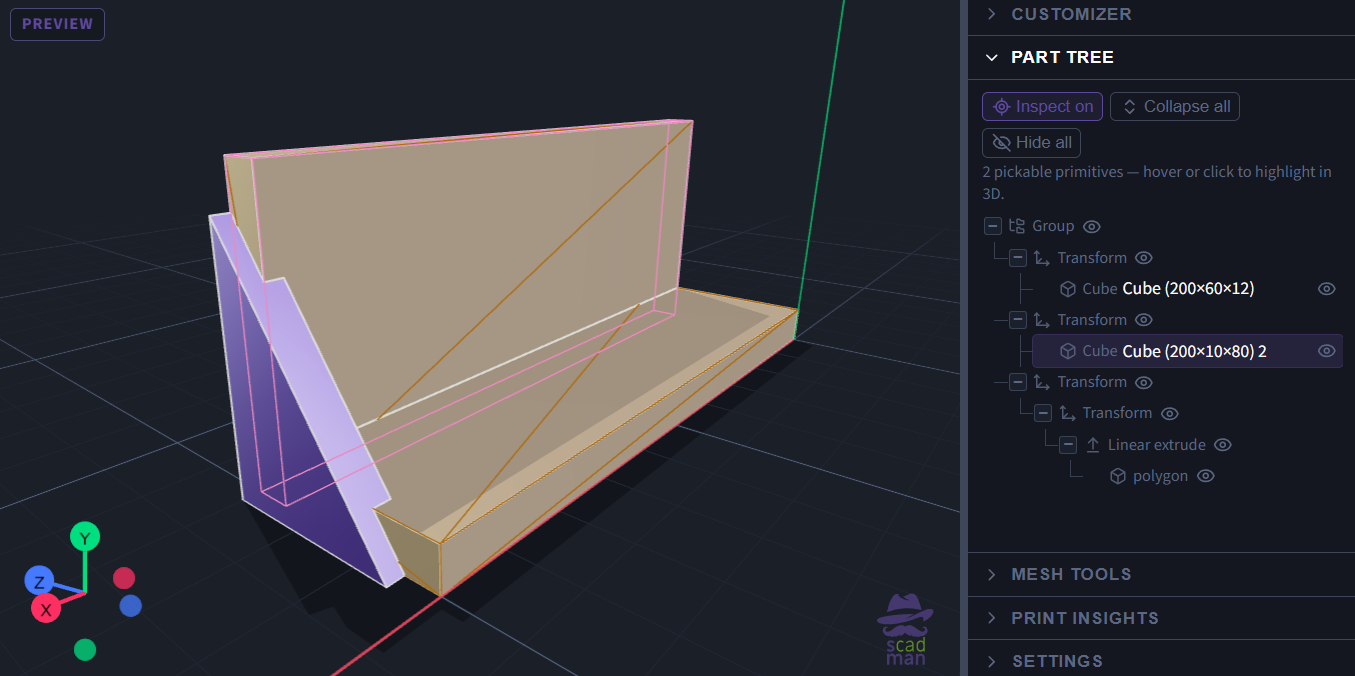
Try changing shelf_depth or wall_height and regenerating. The support triangle updates automatically because it depends on the derived variable.
3. Example – Picket Fence Section
Once you can describe a single object parametrically, the next natural step is to repeat it. OpenSCAD’s for loop is designed exactly for this.
picket_count = 7;
picket_width = 12;
picket_height = 80;
picket_thick = 8;
spacing = 8;
rail_height = 10;
rail_thick = 6;
total_width = picket_count * picket_width + (picket_count - 1) * spacing;
translate([0, 0, 20])
cube([total_width, rail_thick, rail_height], center = true);
translate([0, 0, picket_height - 15])
cube([total_width, rail_thick, rail_height], center = true);
for (i = [0 : picket_count - 1]) {
x_pos = -total_width/2 + picket_width/2 + i * (picket_width + spacing);
translate([x_pos, 0, picket_height/2])
cube([picket_width, picket_thick, picket_height], center = true);
}
🔗Open in sCADman
How the loop works
for (i = [0 : picket_count - 1]) {
}
i takes the values 0, 1, 2, … up to picket_count - 1. - Inside the loop we calculate the X position of the current picket using the loop variable.
- Each iteration places one vertical board.
The total width of the fence is also derived from the parameters, so the top and bottom rails always match the number of pickets and the gaps between them.
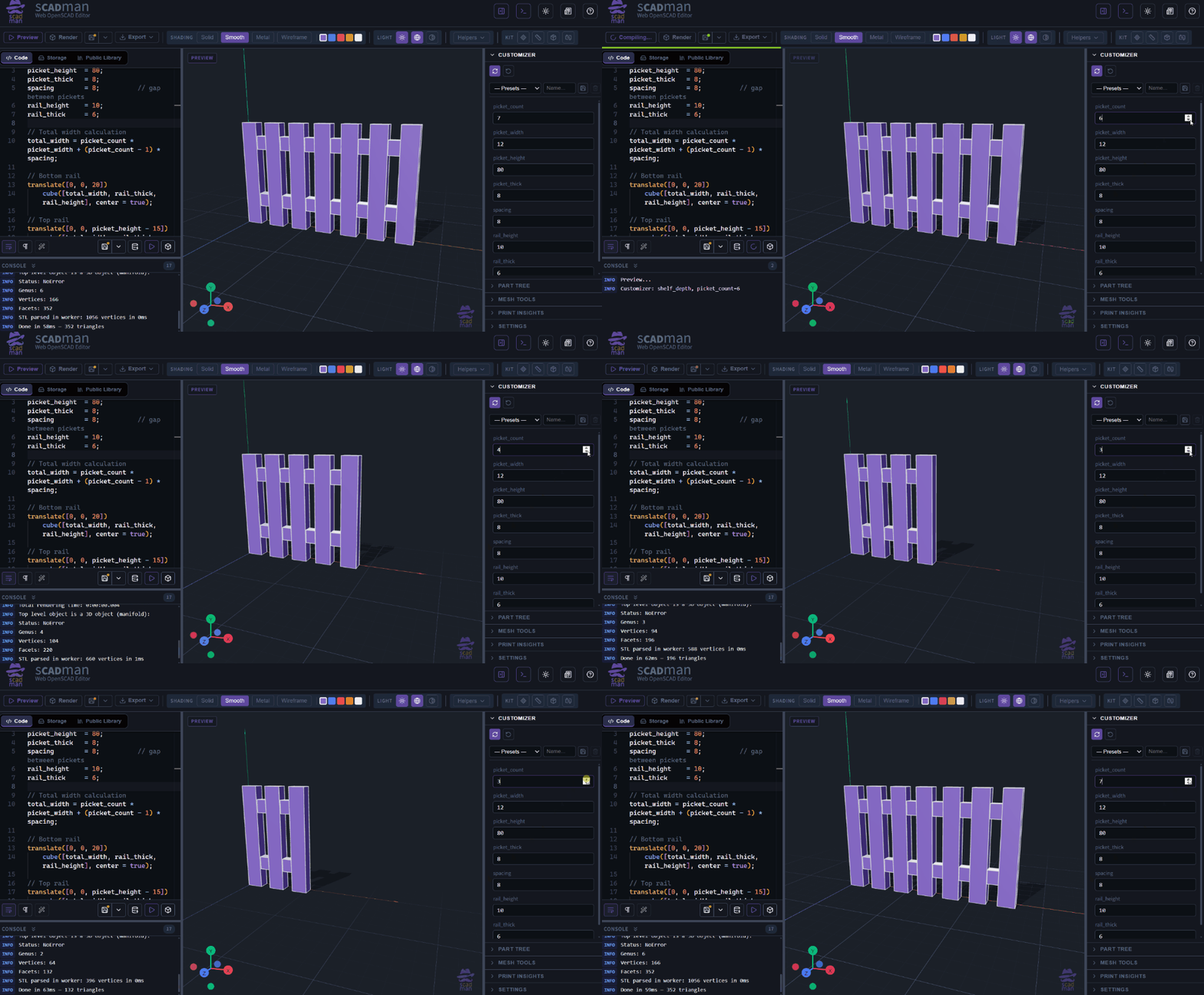
This pattern (calculate total size - place repeated elements with a loop) appears constantly in real designs: rows of holes, arrays of cooling fins, grids of compartments, series of hooks, etc.
4. Combining Parameters and Loops
The real power appears when you use both techniques together:
- Variables control the overall size and the number of repetitions.
- Arithmetic keeps related dimensions consistent.
- The
for loop generates as many copies as needed without duplicating code.
A good habit is to keep all “knobs” a user might want to turn at the very top of the file, clearly separated from the geometry that uses them. Both examples above follow this structure.
What You Can Build Next
With the skills from Part 1 and Part 2 you can already create:
- Shelves, brackets and simple furniture parts that resize cleanly
- Fences, railings, grilles and any repeating pattern
- Trays or organisers with a variable number of compartments
- Mounting plates with regularly spaced holes
The next logical topics are modules with parameters (so you can reuse complex parts easily) and conditional logic (if) so a single script can produce different variants.
Try the Models
Both designs used in this article are ready to explore:
Open either link, change a few values at the top, and regenerate. Because the models are fully parametric, small edits produce consistent results across the whole object.
This is the everyday workflow OpenSCAD encourages: describe the design with clear parameters, let the language handle the repetition and the calculations, and keep the source easy to understand and modify later.